
문제내용
운영 서버 배포 후 Swagger CORS 오류
해결방안 도출
첫 번째 시도
스프링 시큐리티 전역 설정
@Bean
public CorsConfigurationSource corsConfigurationSource() {
    CorsConfiguration configuration = new CorsConfiguration();
    configuration.setAllowedOrigins(Arrays.asList("http://localhost:5173","http://localhost:8080", "http://localhost:4443",
            "http://13.125.238.202:8080", "http://13.125.238.202:443","https://i11c202.p.ssafy.io","http://i11c202.p.ssafy.io"));
    configuration.setAllowedMethods(Arrays.asList("GET", "POST", "PUT", "DELETE","PATCH"));
    configuration.setAllowedHeaders(Arrays.asList("*"));
    configuration.setAllowCredentials(true);

    UrlBasedCorsConfigurationSource source = new UrlBasedCorsConfigurationSource();
    source.registerCorsConfiguration("/**", configuration);
    return source;
}
Tip! setAllowedorigins를 설정 할 때는 하나의 리스트로 담아주어야한다
하지만 실패..
두 번째 시도
@OpenAPIDefinition(
       servers = {
             @Server(url = "https://i11c202.p.ssafy.io/studycow",description = "운영 서버")
       })
Swagger 서버에 운영서버 주소를 명시를 해주었다. 개발서버와 배포서버의 주소가 다르기 때문에 나는 오류였다. 두 번째 방법으로 CORS 오류 해결 완료!
결과
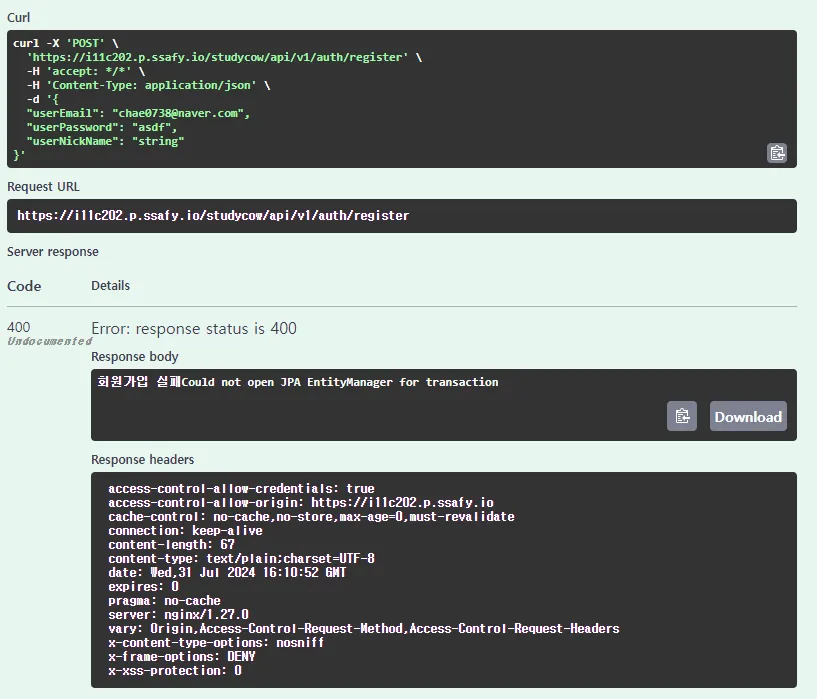
이제 운영서버에 DB 연결하러 가자..
추가 학습 예정
- Swagger 에러코드 명시
문제 2
문제내용
STOMP apic 연결 오류
해결방안 도출
- 서버에 오는 요청 로그 확인
로그 존재 x - 내장서버 websocket 페이지로 확인
연결 성공 - 시큐리티 cors 추가 설정 후 요청 로그 확인
cors 전역설정 오류 발생 - 시큐리티 cors 세션 및 쿠키 설정 비활성화
결과
`“Stomp connected.”
추가 학습내용
Apic을 사용한 테스트에서는
@Override
public void registerStompEndpoints(StompEndpointRegistry registry) {
    registry.addEndpoint("/ws-stomp")
            .setAllowedOriginPatterns("http://localhost:8080","http://localhost:5173","https://i11c202.p.ssafy.io")
            .withSockJS();   // 비활성화가 필요하다
}
js 기반의 테스트가 아니기때문에 .withSockJS()를 비활성화 해야한다
문제 3
문제내용
글로벌 예외처리 적용시, 스프링 시큐리티에서 Global 예외처리가 작동하지 않는 문제
cache-control: no-cache,no-store,max-age=0,must-revalidate connection: keep-alive content-length: 0 date: Tue,06 Aug 2024 08:45:29 GMT expires: 0 keep-alive: timeout=60 pragma: no-cache vary: Origin,Access-Control-Request-Method,Access-Control-Request-Headers x-content-type-options: nosniff x-frame-options: DENY x-xss-protection: 0해결방안 도출
- 서비스 로직 log 확인
- 다른 서비스 로직 예외처리 테스트
- Security 및 예외처리 흐름 확인
Spring Security AuthenticationEntryPoint구현체 생성 후 추가로 해결!
결과
{
  "timestamp": "2024-08-07T13:52:08.0660066",
  "errorCode": "BAD_REQUEST",
  "errorMessage": "존재하지 않는 아이디입니다.",
  "validationErrors": null
}
에러 결과값 반환 성공 !
추가 학습내용
데이터가 거쳐가는 흐름은
- Spring Security 필터
- 서블릿 필터
- DispatcherServlet
- 컨트롤러
- 글로벌 예외 처리기 (
@ControllerAdvice/@RestControllerAdvice)
의 순서로, Spring Security에서 예외처리가 먼저 걸러질 경우 글로벌 예외 처리기까지 도달하지 못한다. 따라서 Spring Security의 부가적인 설정을 통해 글로벌 예외 처리기와 연결해주어야 한다!
이 글은 velog에 먼저 올렸던 글입니다 · 원문 보기 ↗